


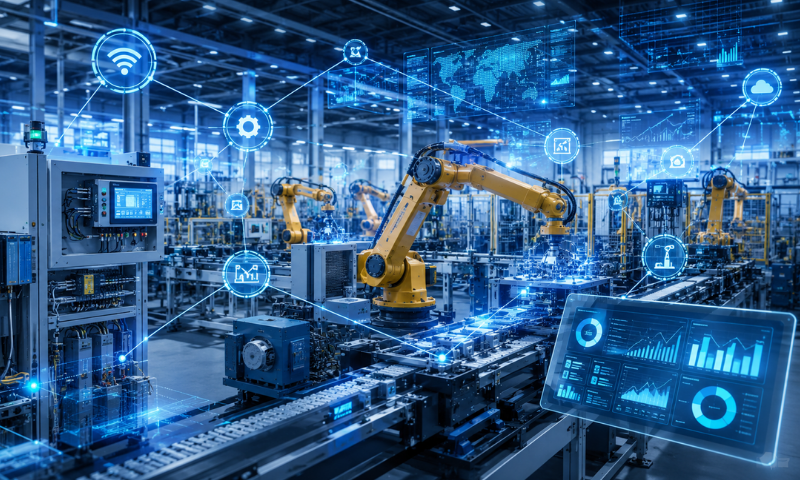
A Smart Factory Starts with Reliable Equipment Data
Smart manufacturing and digital transformation have become strategic priorities across the manufacturing industry. Before implementing real-time monitoring, data analytics, or AI applications, however, companies must first obtain reliable, accurate, and usable equipment data.
Manufacturing sites often operate equipment from different generations and vendors, with varying communication capabilities. Some machines support standard communication protocols, while others can only export files or require data to be collected through PLCs and controllers. Certain legacy machines may not provide any digital output at all.
The first step toward a smart factory is therefore not the immediate introduction of complex AI models. It is to assess existing equipment conditions and establish an appropriate IIoT equipment connectivity and data integration architecture.
Once equipment data is connected with production orders, products, lots, process steps, and quality results, individual machine signals can be transformed into production information that is visible, traceable, and suitable for analysis. This creates the foundation for real-time production management and more advanced smart manufacturing applications.
MANUFACTURING DIGITAL TRANSFORMATION ROADMAP
5 Steps from Equipment Connectivity to a Smart Factory
Every factory has different equipment conditions and levels of digital maturity. Companies do not need to complete every system implementation at once. Based on operational priorities and data maturity, they can begin with equipment connectivity and progressively develop data integration, production management, real-time analytics, and AI applications.
Step 1: Assess Equipment Connectivity Capabilities
Manufacturing sites often operate machines from different generations, brands, and control architectures. Their data acquisition methods and communication capabilities can vary significantly.
Before implementing IIoT equipment connectivity, companies should assess the connection options for each equipment type, identify what data can be collected, and determine whether the equipment can receive parameters, recipes, or operating instructions.
Equipment connectivity does not necessarily require replacing all existing machines. Depending on the equipment condition, data may be collected through standard communication protocols, PLCs, sensors, gateways, files, or databases. Companies can then build an integration architecture suited to their production environment.
Common Equipment Connectivity Types
01 | No Digital Data Output
Older or stand-alone equipment may not provide digital signals directly. Companies may initially rely on manual reporting or install external sensors to collect basic information such as operating status, production counts, temperature, and energy consumption.
02 | File Export Available
Some equipment can generate production or inspection data in CSV, text, or other file formats. The system can periodically retrieve these files and import the data into IIoT / EAP or MES platforms.
03 | Data Accessible Through a PLC or Controller
If the equipment has a PLC, controller, or expandable signal interface, communication modules, gateways, or sensors can be used to collect equipment status, alarms, production counts, and process parameters.
04 | One-Way Data Transmission
The equipment can actively or periodically transmit production results, measurement data, and operating status to an upper-level system. This is suitable for equipment monitoring, data collection, and production result reporting.
05 | Two-Way Data Exchange
In addition to reporting equipment status and production data, the equipment can receive parameters, recipes, or operating instructions from an upper-level system, supporting further equipment automation and error prevention.
Key Points to Confirm During the Assessment
An equipment assessment should cover more than whether a machine can be connected. Companies should also confirm:
- Supported communication protocols and data formats
- Available equipment status, alarm, and process parameter data
- Required data collection frequency and retention period
- Whether recipes, parameters, or operating instructions must be received
- Equipment modification costs, risks, and potential downtime
- Integration methods with existing MES, ERP, WMS, or data platforms
After completing the assessment, companies can prioritize implementation based on equipment importance, integration complexity, and expected benefits.
During validation, testing a single machine is generally not sufficient. A representative process section or complete production line should be selected to confirm that equipment data, system processes, and shop-floor operations can operate as one end-to-end process.
Step 2: Collect, Standardize, and Store Data
After assessing equipment connectivity capabilities, the next step is to establish reliable data collection and storage mechanisms. Although equipment may be able to transmit data, different brands, models, and communication methods often produce inconsistent data formats, field names, and update frequencies. Without proper organization, the data cannot be readily used for monitoring or analysis. Equipment data must therefore be standardized rather than simply transferred into a system. Standardization turns raw signals into consistent, usable production information.
Establish Consistent Equipment Data Standards
Companies can begin by defining common standards for frequently used data, including:
- Equipment IDs and names
- Definitions for running, idle, and stopped states
- Alarm codes and exception categories
- Units for parameters such as temperature, pressure, and speed
- Data collection frequency and timestamps
- Handling rules for missing values, duplicates, and outliers
When equipment uses consistent naming conventions and data structures, the system can perform comparisons and analysis across machines, production lines, and factories.
Define an Appropriate Data Collection Frequency
Not all equipment data needs to be collected at the same frequency.
Equipment status may require real-time updates, while temperature or pressure data may be collected at intervals based on process requirements. Equipment master data that rarely changes does not need to be transmitted frequently.
Collecting and storing all data at the highest possible frequency increases transmission and storage requirements. It can also make important abnormal signals harder to identify within a large volume of data.
Companies should therefore define collection frequencies and retention periods according to how the data will be used.
Connect Equipment Data with Production Information
Recording equipment temperature, speed, or alarm data alone does not indicate which production order, lot, or process step was running at the time.
When equipment data is connected with MES information—including production orders, products, lots, process steps, recipes, and quality results—it can form a complete production history that supports traceability, exception analysis, and process improvement.
Data Storage Is About More Than Capacity
When planning data storage, companies should also confirm:
- Whether data can be queried by equipment, production order, and lot
- Whether complete timestamps and data sources are retained
- Whether access permissions and controls are available
- Whether the data can support dashboards, reports, and analytical tools
- Whether retention periods meet management and traceability requirements
Key takeaway: The value of equipment connectivity does not come from collecting as much data as possible. It comes from acquiring accurate, understandable data that can be linked to the relevant production context.
Step 3: Connect Equipment Data with MES Production Context
After equipment data has been collected and standardized, it must be connected with actual production processes.
If a system records only equipment status, process parameters, and alarms but cannot identify the related production order, product, or lot, the value of the data for traceability and analysis remains limited.
MES connects equipment data with production orders, products, lots, process steps, and quality results, transforming individual machine signals into information with meaningful production context.
Link Equipment Data to Production Orders
When a production order begins, MES can record the equipment, product, lot, and process step involved. Equipment status, parameters, and production results can then be matched with the corresponding production order based on time or operational flow.
This allows management teams to confirm:
- Which equipment was used for a specific production order
- Equipment status and parameter changes during production
- Which alarms or downtime events affected production
- Actual output and quantities of good and defective products
- Relationships between process data and quality results
Connect Recipes, Parameters, and Quality Results
For production lines that require equipment recipe or process parameter management, MES and IIoT / EAP systems can manage recipes and parameters according to the product, production order, or operating conditions. The actual settings used by the equipment can also be recorded.
After production, equipment data can be connected with inspection results, quality judgments, and defect causes. This enables companies to compare quality differences among lots, machines, and parameter conditions.
Improve Production History and Traceability
By connecting the production context through MES, companies can search records by product, lot, production order, equipment, or time range and build a more complete production history.
When a quality issue or customer complaint occurs, management teams can quickly identify:
- The production time, production order, and equipment associated with the affected product
- The recipe and process parameters used
- Whether equipment alarms or downtime occurred
- Whether other lots produced under the same conditions may be affected
- Whether quality issues are concentrated on specific equipment or processes
Use Equipment Data to Support Production Management
Once equipment data is integrated with MES production processes, companies can move beyond simply viewing whether equipment is running. They can also monitor production progress, production order status, and the impact of production abnormalities.
Key takeaway: Equipment data becomes traceable, manageable, and suitable for analysis only when it is connected with production orders, products, lots, and quality results.
Step 4: Establish Real-Time Visibility and Data Analytics
Once equipment data has been standardized and connected with MES production orders, products, lots, and quality information, companies can establish real-time production dashboards and data analysis capabilities.
Compared with manually completed reports, data returned automatically by equipment and systems reduces information delays and helps management teams monitor production progress, equipment status, and the impact of abnormalities in real time.
Monitor Production and Equipment Status in Real Time
Depending on operational requirements, production dashboards can display:
- Equipment running, idle, and stopped states
- Production order progress and actual output
- Quantities of good products, defective products, and rework
- Alarms, downtime events, and exception records
- Process parameters and quality results
- Management indicators such as equipment utilization and OEE
A dashboard should do more than display numbers in one location. It should help different roles quickly access information relevant to their responsibilities.
Production supervisors may focus on production progress and abnormal orders. Maintenance teams may review alarms and downtime. Quality personnel may monitor inspection results and process changes.
Establish Abnormality Alerts and Response Mechanisms
When equipment stops, parameters exceed defined limits, or production falls behind schedule, the system can generate abnormality alerts based on predefined conditions to help the relevant personnel respond earlier.
In addition to issuing alerts, abnormality management should record:
- When the abnormality occurred
- The related equipment and production order
- The type and scope of the exception
- The assigned personnel and resolution status
- Recovery time and downtime duration
Complete exception records allow companies to determine whether problems recur and whether the response process can be improved.
Identify Improvement Opportunities from Historical Data
After equipment and production data has been accumulated over time, companies can compare information by equipment, product, lot, shift, or process condition to identify trends related to output, quality, and downtime.
Examples include:
- Whether specific equipment repeatedly generates the same alarm
- Whether certain process parameters are associated with higher defect rates
- Whether production efficiency differs significantly among shifts
- Whether certain downtime events are associated with specific time periods or products
- Whether equipment performance declines over time
The results can support equipment maintenance, process adjustments, and shop-floor improvement.
Interpreting Data Correctly Matters More Than Adding More Dashboards
A real-time dashboard does not need to display every available data point. Too many indicators can make important exceptions harder to identify.
Companies should first define core indicators based on their management objectives and ensure that data sources, calculation methods, and update frequencies are consistent.
For example, OEE calculations require clear definitions of planned production time, downtime, speed loss, and good count. Otherwise, different departments may interpret the same indicator differently.
Key takeaway: The value of real-time visibility is not simply displaying data on a screen. It helps management teams identify problems sooner, understand their impact, and take action.
Step 5: Implement AI and Advanced Automation
Once a company has established stable equipment connectivity, data standards, production context, and analytical mechanisms, it can begin evaluating AI and advanced automation applications.
AI is not the starting point of a smart factory. It is an advanced application built on a reliable data foundation.
If equipment data is incomplete, field definitions are inconsistent, or production context such as production orders and quality results is unavailable, implementing AI is unlikely to produce meaningful analytical results.
Start with a Clearly Defined Production Problem
Before implementing AI, companies should identify the practical problem they want to solve rather than selecting a technology first.
Common application areas include:
- Predicting equipment failures or performance degradation
- Analyzing relationships between process parameters and quality results
- Supporting automated visual inspection with image recognition
- Predicting yield, output, or production cycle time
- Identifying key factors that affect downtime and production efficiency
- Providing decision support for process parameters or maintenance timing
The more clearly the application is defined, the easier it becomes to determine the required data, evaluate model performance, and measure business value.
Distinguish Rule-Based Management from AI Applications
Not every automation function requires AI. Some scenarios can be handled effectively through clearly defined rules, such as:
- Generating an alert when equipment parameters exceed defined limits
- Notifying relevant personnel when equipment downtime exceeds a specified duration
- Retrieving the appropriate recipe based on a product or production order
- Checking whether equipment parameters meet predefined conditions
These functions can generally be implemented through rules and workflow management within MES and IIoT / EAP systems.
AI is more suitable for scenarios that cannot be evaluated through fixed conditions alone. Examples include identifying complex relationships in large volumes of historical data, making predictions, and classifying images and detecting abnormal patterns.
Progress from Decision Support to Automation
During the initial stage of AI implementation, analytical results can first be used to support human decision-making.
For example, the system may indicate a potential equipment abnormality, recommend checking a particular component, or identify process parameters that may be related to quality variation. Equipment or process personnel can then review and confirm the findings.
After model accuracy, data quality, and shop-floor processes have become stable, companies can consider connecting selected results with subsequent operations, such as:
- Creating abnormality response tasks
- Scheduling equipment inspections or maintenance
- Prompting operators to verify process settings
- Providing parameter adjustment recommendations
- Triggering predefined production management workflows
For applications involving parameter downloads or automatic equipment control, clear permissions, allowable ranges, confirmation mechanisms, and safety conditions must be established. This prevents the system from directly changing equipment settings without appropriate control.
Continuously Validate and Update AI Models
Equipment conditions, raw materials, product specifications, and process conditions may change over time. An AI model will not necessarily maintain the same performance over time.
Companies should continuously confirm:
- Whether the data used by the model remains complete and accurate
- Whether predictions or classification results reflect actual shop-floor conditions
- Whether new products or processes require model retraining
- Whether incorrect predictions affect operations or production decisions
- Whether model recommendations result in measurable improvements
Regular validation and adjustment are necessary to ensure that AI applications continue to meet actual production requirements.
Key takeaway: The value of AI is not in replacing existing systems. It lies in using accumulated equipment and production data to identify risks earlier, support faster and more informed decisions, and progressively expand smart manufacturing applications.
Conclusion: Build a Smart Factory in Phases
A smart factory is not a single system or a one-time project. It is the result of gradually integrating equipment, data, production processes, and management mechanisms.
For most manufacturers, the starting point is not AI. It is understanding the connectivity capabilities of existing equipment, establishing reliable data collection and standardization, and connecting equipment data with work orders, products, lots, processes, and quality information in MES.
Because every factory has different equipment conditions, system foundations, and improvement objectives, implementation does not need to happen all at once. Companies can begin with a representative process section or complete production line, validate the end-to-end flow, and then expand to other equipment, lines, or factories.
This phased approach reduces initial integration risk while helping manufacturers verify data quality, operational benefits, and future application opportunities—building a real-time, transparent, and scalable smart manufacturing architecture.
Build a Scalable Smart Manufacturing Architecture from Equipment Data
NTT DATA Taiwan designs IIoT / EAP equipment connectivity architectures based on existing equipment, communication methods, and production management requirements. By integrating MES, ERP, WMS, and other higher-level systems, we help manufacturers implement equipment data collection, real-time monitoring, production traceability, and automation applications in phases.