



SECS Gateway: Connecting Equipment and MES
Designed for semiconductor, TFT-LCD, PCB, and other manufacturing environments, SECS Gateway connects equipment with MES and host systems through SECS/GEM. It supports equipment data collection, event reporting, remote commands, and recipe management. Connectors also enable integration with PLCs, OPC UA, and Modbus interfaces, helping manufacturers connect existing equipment and improve shop floor visibility.
Why Choose SECS Gateway?
Standard Communication Integration
Integration Support SECS/GEM for data collection, remote commands, and recipe management based on equipment requirements.
Simplified Configuration and Maintenance
Simplify integration and daily maintenance through a visual interface and flexible parameter settings.
Equipment-to-Host Connectivity
Connect equipment with MES and host systems to exchange production data, equipment events, and control commands.
Core Capabilities 
Equipment Interfaces
Connect to Mitsubishi, Siemens, and Keyence PLCs through Connectors, with support for communication interfaces such as OPC UA and Modbus TCP.
GEM & Custom Messages
Access a GEM300 Library and define custom SECS Stream/Function messages to meet equipment-specific communication requirements.
Excel-Based Mapping
Import and maintain mappings for CEID, SVID, DVID, ECID, and PPID using Excel templates, simplifying equipment data and SECS configuration.
Logs & Troubleshooting
Record SECS messages, event data, remote commands, and execution errors to support communication debugging, issue tracking, and daily maintenance.
Connection Settings
Configure controller connections, Redis, logs, and equipment heartbeat parameters to manage equipment connectivity and communication status.
SECS Gateway User Interface 
Monitoring Dashboard
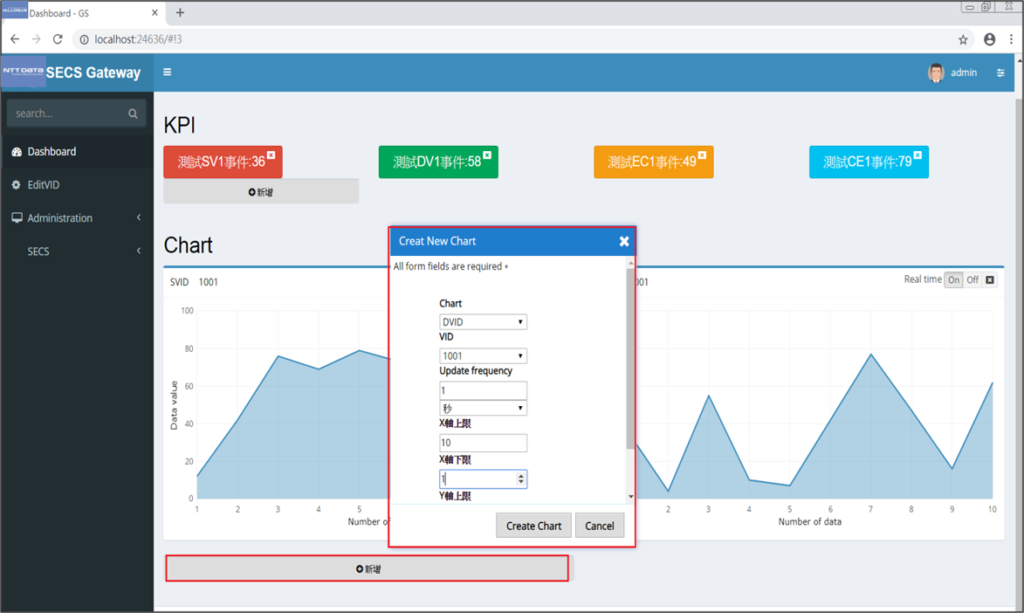
View equipment data through KPI panels and trend charts. Select monitoring variables (VIDs), sampling frequency, and chart display ranges to track data changes.
Multilingual Settings
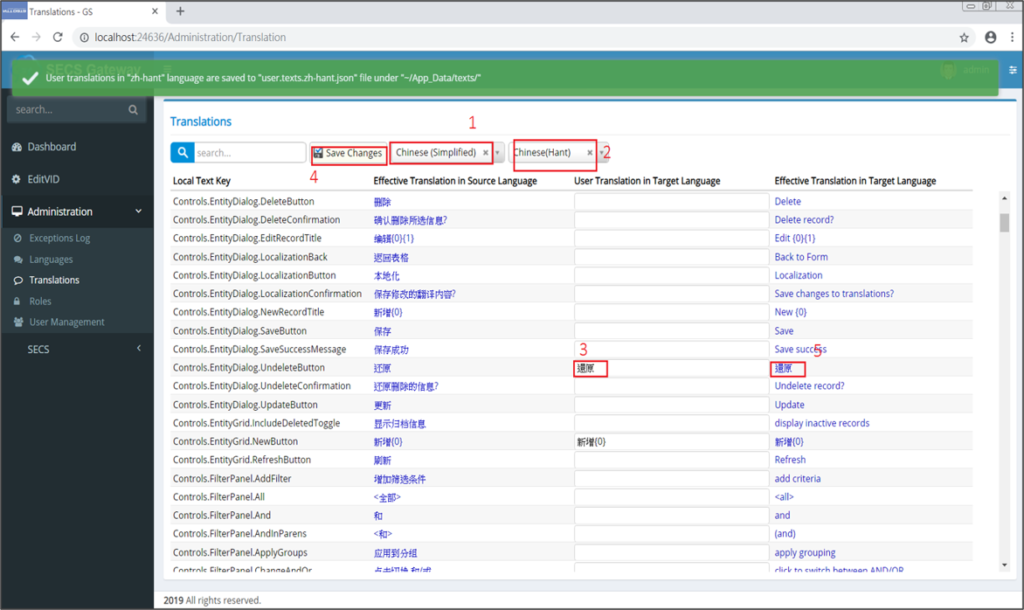
Configure interface languages and translations to support users across sites and international teams.
Equipment Variables and Connection Settings
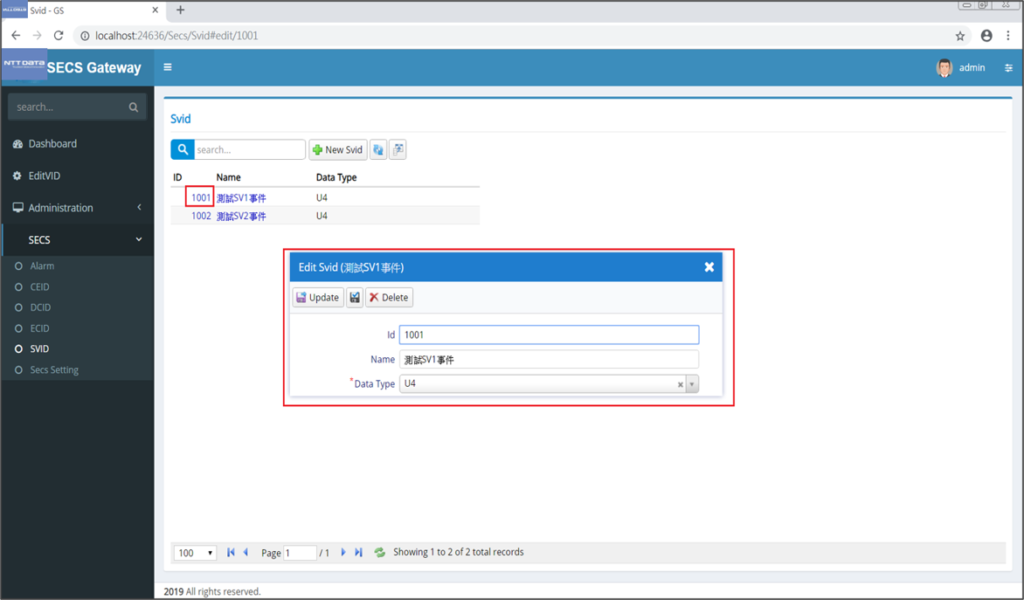
Edit variable (VID) names and data types, and configure SECS communication parameters through the user interface for easier management and maintenance.
Implementation Focus 
Data Mapping
Maintain mappings for equipment events, status, and recipes, with settings tailored to application requirements.
Equipment Connectivity
Connect equipment through Connectors to exchange data and commands with MES and host systems.
Existing Equipment
Assess available PLC and communication interfaces to integrate existing equipment data with host systems.
Implementation Benefits 

Faster Integration
Reduce repetitive configuration work with standard communication interfaces and Excel mapping templates, accelerating equipment-to-host integration.
Easier Daily Maintenance 
Use visual configuration tools and communication logs to monitor connection status, trace errors, and troubleshoot issues.

Flexibility for Future Expansion 
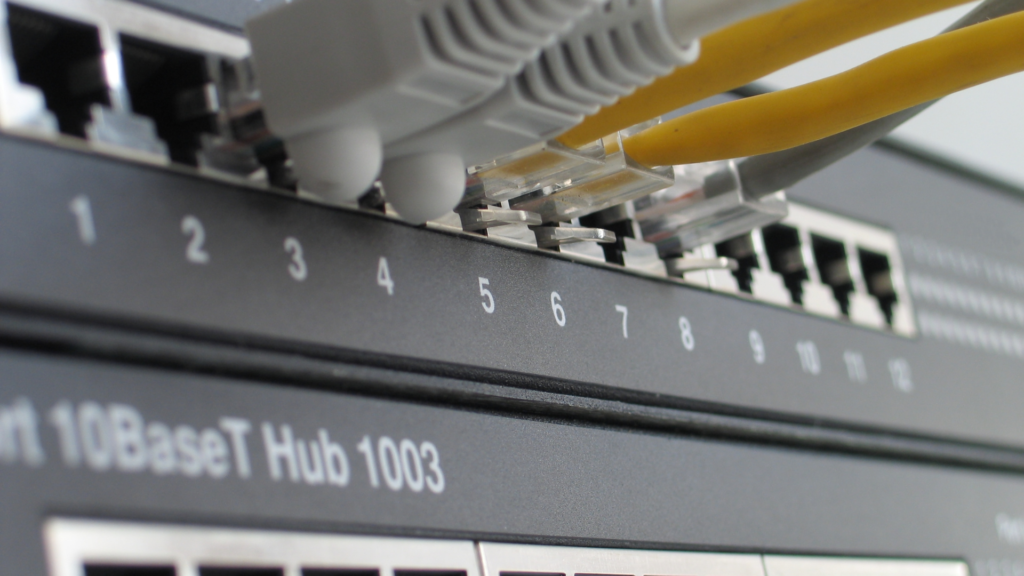
Support additional equipment and changing requirements through multiple PLC interfaces, extensible messages, and configurable data mappings.
FAQ 
- Which communication standards does SECS Gateway support?
SECS Gateway supports SECS-I, SECS-II, HSMS, and GEM, and provides a GEM300 Library. The applicable scope depends on equipment interfaces and project requirements.
- How are equipment data and SECS mappings configured?
Excel templates can be used to import and maintain mappings for events, variables, and recipes. Settings can be adjusted to meet equipment-specific requirements.
- Can SECS Gateway integrate with PLCs, OPC UA, or Modbus devices?
Yes. Equipment can be connected through the appropriate Connector. Supported controller models, protocol versions, and data access methods must be confirmed for each application.
- Can existing equipment be connected?
The available communication interfaces, accessible data, and supported commands must first be reviewed to determine the connection method and integration scope.
- Are communication logs and debugging information available?
Yes. SECS message, event, remote command, and error logs are available to support communication testing, troubleshooting, and daily maintenance.
Related Reading:
5 Steps from IIoT Equipment Connectivity to a Smart Factory
Need to Assess Your Equipment Connectivity?
Share your equipment brand, model, communication interfaces, and target MES or host system with NTT DATA Taiwan to discuss how SECS Gateway can support your integration needs.